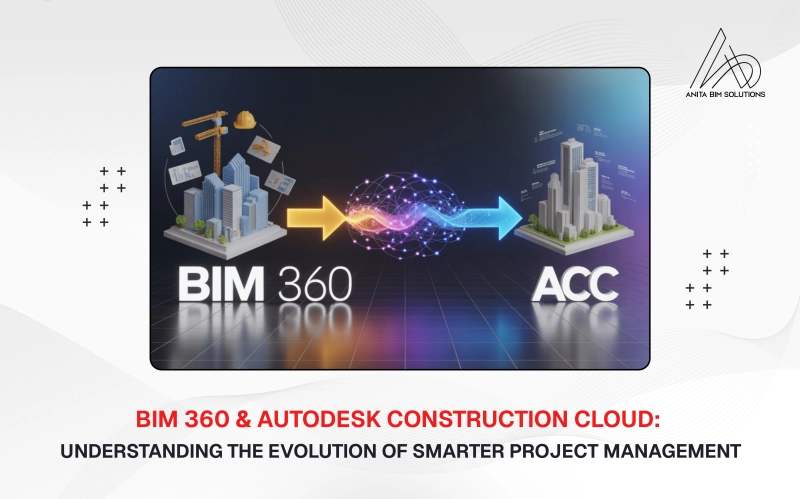
The construction industry is becoming more connected and data-driven every year. Autodesk has played a major role in this digital shift through its powerful cloud-based platforms. Earlier, teams relied on BIM 360 to manage design and construction collaboration. Today, Autodesk Construction Cloud, often called ACC, has taken that foundation to a new level. This article explains what BIM 360 was, what Autodesk Construction Cloud offers, and how both platforms differ in purpose, features, and future direction.
What Was BIM 360?
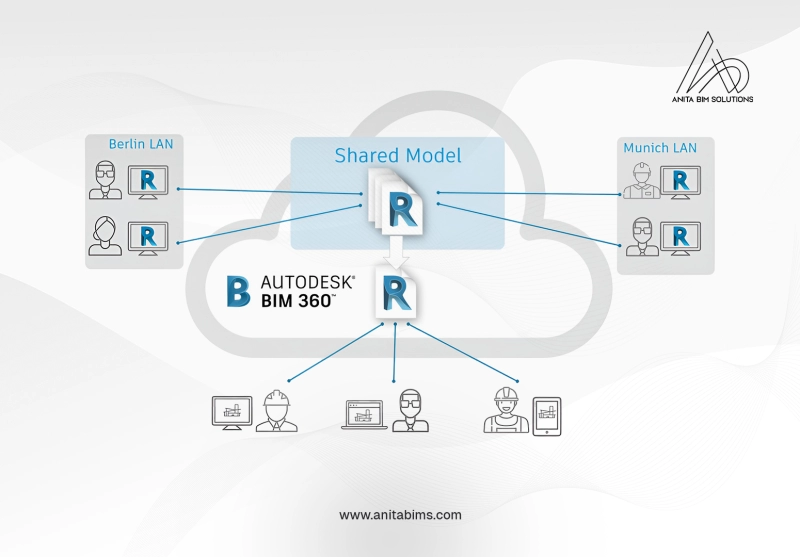
BIM 360 was a cloud-based project management platform specifically designed to enhance collaboration around Building Information Modeling (BIM) workflows. Its primary strength was enabling teams to work together on 3D models, manage document revisions, and coordinate issues across different disciplines like architecture, engineering, and construction. It provided a centralized hub for storing project data, including models, drawings, and documentation, which improved communication and reduced errors. While it integrated well with Autodesk's design software like Revit, it functioned more as a collection of separate modules (e.g., BIM 360 Docs, BIM 360 Build) rather than a single, unified system, which could lead to fragmented workflows.
What Is Autodesk Construction Cloud?
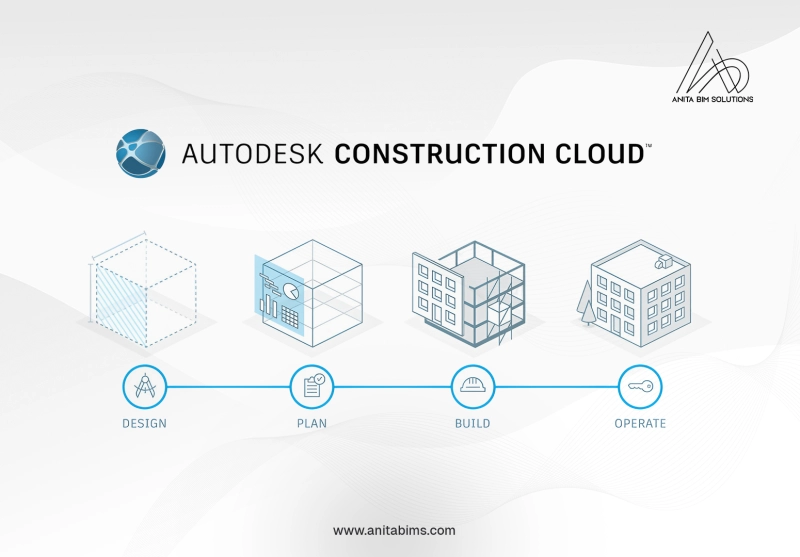
Autodesk Construction Cloud (ACC) is a comprehensive, integrated suite that brings together the best of BIM 360 and several other Autodesk acquisitions, such as PlanGrid and BuildingConnected, into one unified platform. It is not just a rebranding but a fundamental evolution designed to manage the entire project lifecycle, from design and pre-construction to field execution and operations. ACC provides a consistent user experience and a single source of truth for all project data, breaking down the silos that existed in the older BIM 360 ecosystem.
Key Features between BIM 360 and Autodesk Construction Cloud
1. Document Management
BIM 360: Uses BIM 360 Docs for document control, versioning, file sharing, and markup. Project data is stored in modules, which sometimes led to silos.
ACC: Uses Autodesk Docs as the unified document backbone. It is deeply integrated across all ACC apps, so documents, markups, and project data are always live and up-to-date, with versioning and improved access control for all stakeholders.
2. Design Collaboration
BIM 360: BIM 360 Design enabled teams to co-author Revit and Civil 3D models in the cloud, facilitating review processes and change tracking.
ACC: BIM Collaborate Pro builds on this, allowing real-time collaboration and model coordination, with more seamless feedback, tighter integrations, and enhanced support for non-Revit files. It's also actively developed.
3. Model Coordination/Clash Detection
BIM 360: Relies on BIM 360 Coordinate for clash detection and model coordination, mainly focused on the design phase.
ACC: Offers BIM Collaborate (different from Pro) for more advanced clash detection and better visual tools for issue tracking, plus easier handoffs between design and construction teams.
4. Field Management
BIM 360: BIM 360 Build/Field allows teams to manage issues, RFIs, checklists, and daily reports in the field. Useful, but not always tightly integrated with other modules.
ACC: Replaces Build/Field with Autodesk Build, which is more robust: unified with document management, easier mobile reporting, timesheets, photo/video uploads, better workforce scheduling, and safety compliance. All field data rolls up into one dashboard.
ACC: Autodesk Takeoff lets teams directly estimate and track quantities from 2D and 3D design models, supporting collaborative takeoff and automated Bill of Quantities (BoQ) generation within the same platform.
6. Project & Schedule Management
BIM 360: Offers basic scheduling and project tracking tools; some modules felt separate, making coordination trickier for large teams.
ACC: Delivers more advanced scheduling and project management features: tighter integration, real-time updates, automated activity logs, sample project templates, asset tracking, and configurable reporting.
7. User Permissions & Data Control
BIM 360: Role- and folder-based access permissions, managed separately for each module.
ACC: More granular, project-wide permissions; easier to audit who does what. Data is centralized, so access rules are consistent throughout every project component.
8. Integration Ecosystem
BIM 360: Integrates with Autodesk apps (e.g., Revit, AutoCAD, Navisworks), but is limited for some third-party solutions.
ACC: Superior integrations—works smoothly with a broad range of Autodesk products and external tools (estimating, bid management, accounting, scheduling, analytics).
9. Mobile Support
BIM 360: Has a dedicated mobile app for field teams, but experience varies between modules.
ACC: Native mobile apps across all ACC features, with simplified data entry, photo/video reporting, real-time collaboration, task management, and push notifications.
10. Analytics & Insights
BIM 360: Utilizes BIM 360 Insight for basic dashboards and analytics.
ACC: Offers project insights with expanded dashboards, in-depth data analytics, visual project tracking, enterprise search (with OCR), broader reporting, and stronger audit capabilities across all data in the platform.
11. Bid Management and Preconstruction
BIM 360: No built-in bid management; required external solutions.
ACC: Integrated modules for proposal creation, bid invitations, comparisons, and collaborative editing, supporting the entire preconstruction workflow and collaboration between owners, designers, and contractors.
12. Field Communication & Safety
BIM 360: Offers basic field communication and safety tracking as add-ons or separate forms.
ACC: Field communication, workforce scheduling, incident tracking, safety compliance, and reporting are all tightly built-in and much easier to review and audit.
In conclusion, Autodesk Construction Cloud (ACC) represents the natural evolution of BIM 360, taking the same strengths and expanding them into a true end-to-end project management ecosystem for the entire construction lifecycle. While BIM 360 was ideal for design coordination and BIM-centric workflows, ACC builds upon that foundation with deeper integrations, greater scalability, and a unified data environment that connects all project phases seamlessly from design to field execution and operations. In today’s construction landscape, ACC stands out as the future-ready platform, empowering teams to collaborate with greater transparency, manage costs and risks more efficiently, and deliver higher-quality projects on time and within budget. For those aspiring to gain hands-on expertise in these advanced BIM tools and build a successful career in the field, Anita BIM Solutions provides specialized training programs designed to help professionals and students master BIM 360, Autodesk Construction Cloud, and other leading BIM technologies.